 Click To Email
  (623) 323-9044
  Opening hours: Mon - Friday, 6:00am to 7:00pm






The Case for Pool Automation in Arizona
Managing a pool in Arizona isn't like managing a pool anywhere else. When your water temperature sits at 90°F for four straight months, chemistry changes faster, equipment runs harder, and the margin for error shrinks. That's exactly why automation technology — even at the basic level — pays for itself faster in the Phoenix metro area than almost any other market in the country.
But here's the thing: the pool automation industry loves to sell you a $5,000 system when a $200 timer might solve your actual problem. At McCool's Pools, we've installed and serviced everything from simple mechanical timers to full Pentair IntelliCenter and Hayward OmniLogic systems. We've seen what works, what breaks, and what homeowners actually use six months after installation.
This guide breaks down every level of pool automation — from the basics to the bleeding edge — so you can make a smart investment based on your pool, your budget, and your lifestyle.
Level 1: Timers — The Minimum Every Arizona Pool Needs
If your pool pump is plugged directly into an outlet (or worse, you're walking outside to flip a breaker), you're overpaying on electricity and probably under-circulating your water. A timer is the single cheapest upgrade with the biggest return.
Mechanical Timers
The classic Intermatic T104 mechanical timer has been the workhorse of the pool industry for decades. It's a metal box with physical trippers that you set to turn your pump on and off at specific times. Cost: $50-80 installed.
Pros:
- Dead simple — no programming, no Wi-Fi, no apps
- Extremely reliable (we see 15-20 year lifespans regularly)
- Easy for any pool tech to service or adjust
- Works during power outages (maintains schedule via spring mechanism)
Cons:
- Only one on/off cycle per day (unless you buy additional trippers)
- No remote access — you have to physically walk to the timer
- Clock drifts slightly over time and needs occasional adjustment
- No integration with other equipment
For a single-speed pump on a basic pool, a mechanical timer is honestly fine. We still install them regularly for homeowners who want simplicity.
Digital Timers
Digital timers like the Intermatic PE153 give you multiple on/off cycles per day, which matters if you want to run your pump in split shifts — say, 6-10 AM and 4-8 PM — to avoid peak electricity rates. In Arizona, SRP and APS time-of-use plans can charge 3-4x more per kWh during peak afternoon hours. Running your pump off-peak can save $30-60/month during summer.
Cost: $80-150 installed.
Our recommendation: If you have a single-speed pump and a time-of-use electricity plan, upgrading from a mechanical to a digital timer pays for itself in one summer.
Level 2: Variable-Speed Pump Controllers
We've covered variable-speed pumps in detail in our energy efficiency guide, but the automation angle deserves its own discussion. Modern variable-speed pumps like the Pentair IntelliFlo and Hayward Super Pump VS have built-in programmable controllers that let you set multiple speed schedules throughout the day.
Why This Matters for Arizona Pools
In our climate, you need roughly 8-12 hours of circulation per day during summer to maintain water clarity. But you don't need all of those hours at full speed. A smart approach:
- Low speed (1,500-2,000 RPM): 8-10 hours overnight for baseline circulation
- Medium speed (2,500 RPM): 2-3 hours during the day for skimmer action and surface cleaning
- High speed (3,450 RPM): 1-2 hours when running a pool cleaner or backwashing
The pump's internal controller handles all of this automatically once programmed. The energy savings are dramatic — a variable-speed pump running at half speed uses roughly one-eighth the electricity of the same pump at full speed (it's a cubic relationship, not linear).
Real-world savings we see in Phoenix: Homeowners switching from a single-speed pump on a timer to a properly programmed variable-speed pump typically save $80-150/month on electricity during summer. The pump costs $1,200-1,800 installed, so payback is usually 12-18 months.
Level 3: Chemical Automation
This is where automation starts getting genuinely transformative — and where Arizona's extreme conditions make the strongest case for investment.
Salt Chlorine Generators
Salt systems (covered in our salt system guide) are the most common form of chemical automation. Instead of manually adding chlorine tablets or liquid, the system generates chlorine from dissolved salt. A built-in controller adjusts output based on your settings.
Arizona-specific note: Salt cells work harder and wear out faster in our heat. We typically see 3-4 year cell lifespans here versus 5-7 years in cooler climates. Factor replacement cells ($400-800) into your cost analysis.
Automatic Chemical Feeders
For pools on traditional chlorine, an automatic chemical feeder (tablet feeder or liquid chlorine pump) provides consistent sanitizer delivery without the weekly hassle of floating chlorinators or hand-adding chemicals.
- Tablet feeders (Pentair Rainbow 320, Hayward CL220): $150-300 installed. Low-tech, reliable, minimal maintenance. Fill with tablets every 1-2 weeks.
- Liquid chlorine pumps (Stenner pump systems): $300-500 installed. More precise dosing, no CYA buildup from tablets. Requires liquid chlorine supply.
pH and ORP Controllers
This is the premium tier of chemical automation. Systems like the Hayward Sense and Dispense or Pentair IntelliChem continuously monitor your water's pH and sanitizer levels (measured as ORP — oxidation-reduction potential) and automatically dose acid and chlorine to maintain your target levels.
Cost: $1,500-2,500 for the controller plus installation of chemical feed pumps and probes.
Is it worth it in Arizona? For most residential pools, honestly — probably not, unless you travel frequently or have a pool that's extremely difficult to balance (attached spas, water features, heavy bather loads). The probes require monthly calibration, the acid and chlorine reservoirs need refilling, and the systems need professional maintenance 2-3 times per year.
Where we DO recommend them: commercial pools, Airbnb/rental properties, and large residential pools with spas and water features where chemistry swings wildly.
Level 4: Full Automation Systems
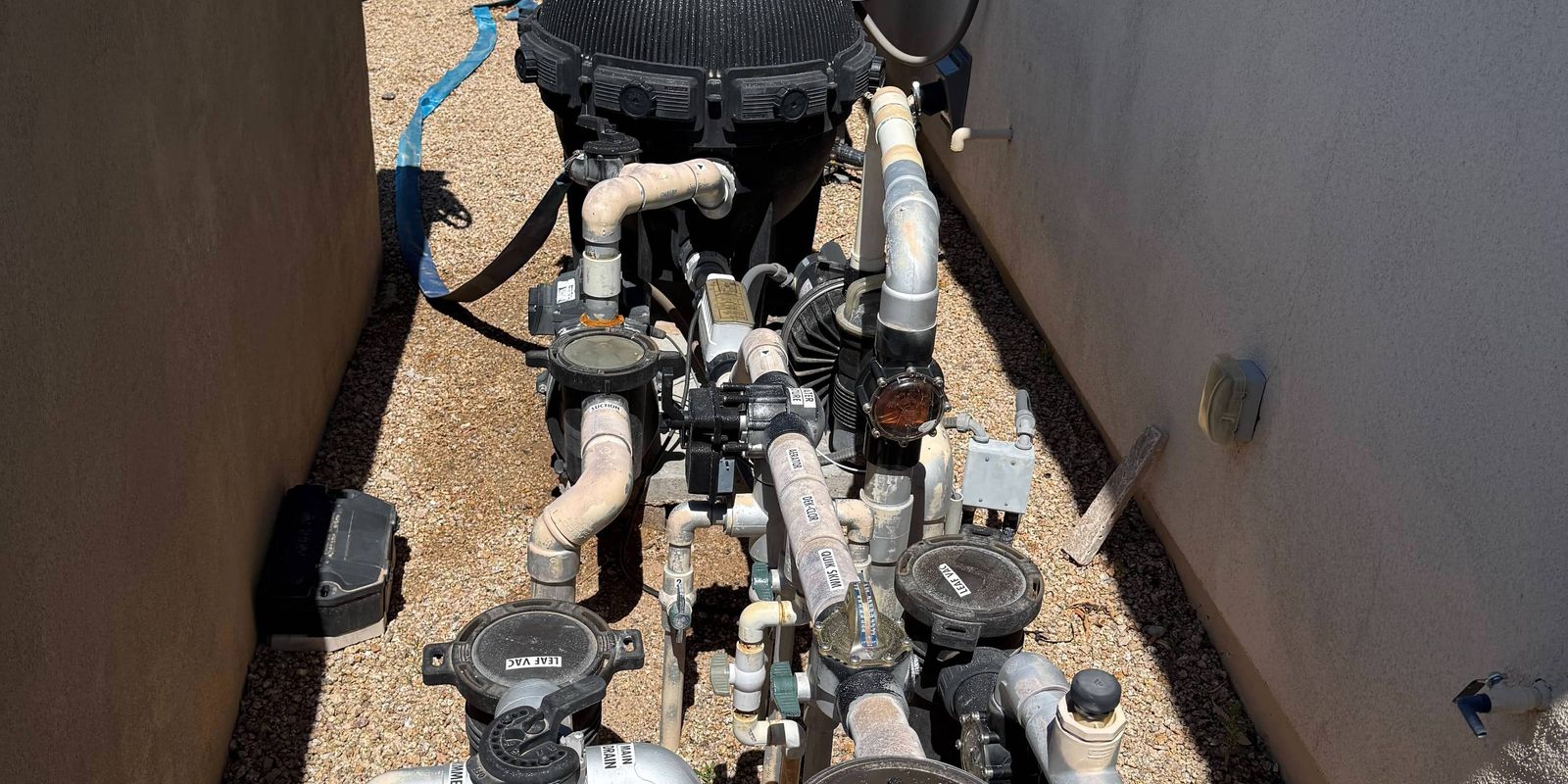
Now we're in the territory of systems that control everything from a single panel or app — pump speeds, heater, lights, water features, chemical dosing, and even landscape lighting.
Pentair IntelliCenter
Pentair's flagship system is the most widely installed full automation platform in the Arizona market. It controls all Pentair equipment plus most third-party devices through relay and dimmer circuits.
What it does well:
- Smartphone app with real-time status and remote control
- Schedule everything — pump, heater, lights, cleaner, water features
- Freeze protection (critical in Arizona — yes, it does freeze here in January)
- Integration with Amazon Alexa and Google Home
- Firmware updates add features over time
What to watch out for:
- The system is only as good as its installation — wiring mistakes cause phantom issues
- Wi-Fi connectivity can be flaky if your equipment pad is far from your router
- Software updates occasionally introduce bugs (always wait a week before updating)
- Cost: $2,500-4,500 depending on the number of circuits and features
Hayward OmniLogic
Hayward's competing system offers similar functionality with a slightly more modern app interface. One advantage: OmniLogic handles Hayward's ColorLogic lighting system better than any third-party controller.
Cost: $2,500-4,000 installed.
Are Full Systems Worth It?
Here's our honest take after installing dozens of these systems across the Valley:
They're worth it if:
- You have a pool + spa combo and want one-touch spa mode (heat spa, turn on jets, set lights)
- You have water features you want to schedule or control remotely
- You're building a new pool (installation cost is much lower during construction)
- You travel frequently and want remote monitoring and control
They're probably not worth it if:
- You have a basic pool with a pump, filter, and cleaner
- Your equipment is more than 8-10 years old (you'd need to replace most of it for compatibility)
- You're happy with your current timer and manual routine
- Budget is tight — the money is better spent on a variable-speed pump or new filter
Arizona-Specific Automation Tips
Heat and Electronics Don't Mix
Arizona sun absolutely destroys exposed electronics. If you're installing any automation controller, make sure it's in a shaded enclosure or has a sun shield. We've seen IntelliCenter panels fail after just 2-3 years of direct sun exposure when they should last 10+.
Freeze Protection Is Non-Negotiable
Every automation system has a freeze protection feature, and you need it turned on. Phoenix gets 5-10 nights below freezing each winter, and a single hard freeze can crack pipes, damage pumps, and destroy heaters. Freeze protection automatically runs your pump when the air temperature sensor drops below a threshold (typically 36°F).
If you don't have an automation system, a simple freeze protection device ($100-200) is one of the smartest investments you can make.
Surge Protection
Monsoon season brings lightning, and lightning brings power surges. Any pool automation system should be on a surge protector. A good whole-panel surge protector costs $50-100 and can save you from a $3,000 controller replacement.
Wi-Fi Range
Pool equipment pads are often 50-100 feet from the house, which can be outside reliable Wi-Fi range. If you're installing a smart system, test your signal at the equipment pad first. A simple Wi-Fi extender or mesh node solves most connectivity issues and costs $50-100.
What We Recommend for Most Arizona Pool Owners
If we had to give a single recommendation for the "typical" Arizona residential pool, here's the priority order for automation upgrades:
Variable-speed pump with built-in controller — This is the highest-ROI upgrade, period. $1,200-1,800, pays for itself in 12-18 months through energy savings.
Digital timer (if keeping a single-speed pump) — $80-150, saves $30-60/month on time-of-use plans.
Automatic tablet feeder — $150-300, provides consistent chlorine delivery and reduces the "I forgot to add chlorine" problem.
Freeze protection device — $100-200, prevents catastrophic winter damage.
Full automation system — $2,500-4,500, only if you have a spa, water features, or want remote control and monitoring.
The Bottom Line
Pool automation in Arizona isn't about having the fanciest gadgets — it's about solving real problems. Heat stress on equipment, extreme energy costs, rapid chemistry changes, and monsoon damage are all issues that the right technology can meaningfully address.
Start with the basics. A good timer or variable-speed pump will do more for your pool and your wallet than any smartphone app. Then build up from there based on your actual needs, not what a sales brochure promises.
If you're not sure what makes sense for your pool, give McCool's Pools a call. We'll take a look at your setup and give you an honest recommendation — including telling you if what you already have is working fine.
McCool's Pools provides pool automation consultation, installation, and ongoing service across the Phoenix metro area. Contact us for a free equipment assessment.




 (623) 323-9044
